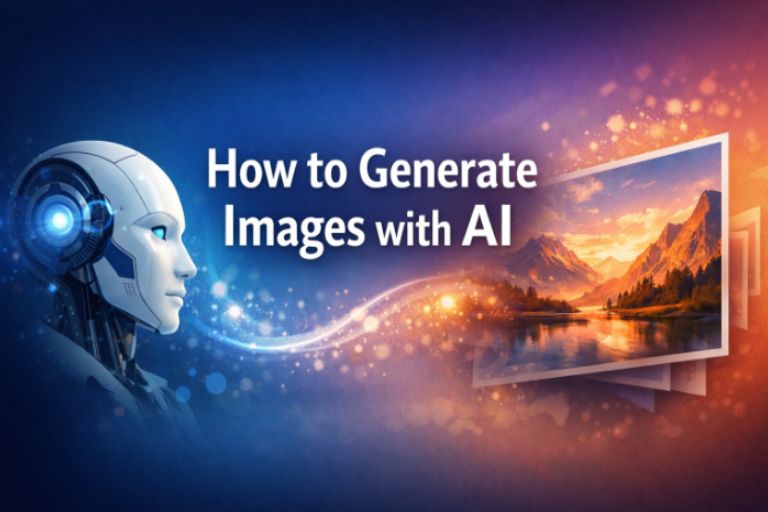
How to Generate Images with AI
Artificial Intelligence has revolutionized the creative world, enabling anyone to produce stunning visuals without needing advanced design skills. From digital art to realistic photography, AI image generation has become a cornerstone of modern creativity. This technology empowers individuals and businesses to create unique, high-quality visuals for websites, marketing campaigns, and social media posts. In this guide, we’ll explore how AI generates images, the best tools available, and practical steps to create original, AdSense-friendly visuals.
Understanding AI Image Generation
AI image generation is based on deep learning models that analyze millions of images to understand patterns, colors, and compositions. These models, such as Generative Adversarial Networks (GANs) and diffusion models, can create new images from simple text prompts. When you describe what you want—like “a futuristic city at sunset”—the AI interprets your words and produces a visual representation that matches your description. This process combines creativity and computation, allowing machines to mimic human imagination.
Popular Tools for AI Image Creation
Several platforms make AI image generation accessible to everyone:
- DALL·E – Developed by OpenAI, it creates detailed images from text prompts with remarkable precision.
- MidJourney – Known for artistic and surreal styles, ideal for creative professionals.
- Stable Diffusion – An open-source model that allows customization and local installation.
- Runway – Offers AI-powered tools for both image and video creation.
- Canva AI – Integrates image generation into a user-friendly design interface.
Step-by-Step Guide to Generating Images
- Choose a platform – Select a tool that fits your creative goals and technical comfort level.
- Write a clear prompt – Be specific. Include details like style, lighting, and mood.
- Adjust settings – Modify resolution, color palette, or artistic filters to refine results.
- Generate and review – Run the model, analyze the output, and iterate until you achieve the desired look.
- Export and optimize – Save your image in web-friendly formats such as JPEG or WebP and compress for faster loading.
Applications of AI-Generated Images
AI-generated images can be used in countless ways:
- Marketing campaigns – Create unique visuals for ads and social media posts.
- Blogging and SEO – Enhance articles with original images that attract readers and improve ranking.
- Product design – Visualize prototypes before production.
- Education – Generate diagrams and illustrations for learning materials.
- Entertainment – Produce concept art, characters, and backgrounds for games or films.
Tips for Creating AdSense-Friendly Images
To ensure your AI-generated visuals comply with AdSense policies:
- Avoid copyrighted material – Do not replicate logos, trademarks, or famous characters.
- Maintain originality – Use unique prompts and avoid copying existing artworks.
- Ensure clarity – Keep images high-quality and visually appealing.
- Respect content guidelines – Avoid adult, violent, or misleading visuals.
- Optimize for speed – Compress images to improve site performance and user experience.
Challenges and Limitations
Despite its advantages, AI image generation faces challenges. Ethical concerns arise when AI-created visuals are used to mislead or imitate real people. Bias in training data can affect representation, and technical limitations sometimes produce unrealistic details. Legal questions about ownership and copyright are still evolving, making it essential to use AI responsibly and transparently.
Advanced Techniques for Better Results
To elevate your AI-generated images, experiment with prompt engineering. Combine descriptive adjectives, artistic styles, and camera settings to guide the AI more precisely. For example, “a cinematic portrait of a woman under neon lights, ultra-realistic, 4K resolution” produces a more refined output than a simple “portrait of a woman.” You can also use post-processing tools like Photoshop or Lightroom to adjust brightness, contrast, and saturation for a professional finish.
Integrating AI Images into Your Workflow
Businesses and creators can integrate AI-generated visuals into their daily workflow. Bloggers can use them to illustrate articles, while e-commerce owners can design product mockups. Designers can generate inspiration boards, and educators can create visual aids. The key is to blend AI creativity with human judgment—using AI as a tool, not a replacement for artistic vision.
Future of AI Image Generation
The future of AI-generated imagery is bright. As models become more advanced, they will produce hyper-realistic visuals indistinguishable from real photographs. Integration with augmented reality and virtual reality will expand creative possibilities even further. Ethical frameworks and transparency standards will continue to evolve, ensuring that AI remains a force for innovation rather than imitation.
Conclusion
Learning how to generate images with AI is a gateway to limitless creativity. By mastering prompts, understanding tools, and following best practices, you can produce visuals that captivate audiences and comply with AdSense standards. Whether you’re a blogger, designer, or entrepreneur, AI image generation offers a powerful way to express ideas visually. The combination of technology and imagination is reshaping digital art—and now, anyone can be an artist with the help of artificial intelligence.