Table of Contents
Free Online Image Editor Tools: Best Free Online Tools for Image Editing
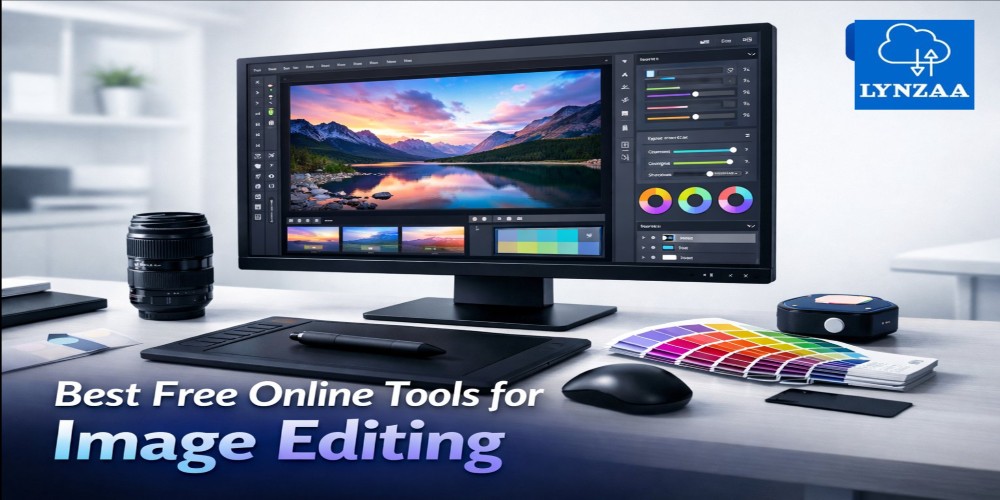
Looking for a powerful free online image editor to enhance your photos without installing software? In this guide, we explore the best free online tools for image editing that help you crop, resize, remove backgrounds, and design graphics directly from your browser.
Whether you’re a blogger, marketer, student, or content creator, using a free online image editor can save time while delivering professional-quality visuals.
Table of Contents
- What Is a Free Online Image Editor?
- Benefits of Using Online Image Editing Tools
- Best Free Online Image Editor Tools
- Comparison Table
- Pros and Cons
- Expert Tips
- Common Mistakes to Avoid
- FAQ
- Conclusion
What Is a Free Online Image Editor?
A free online image editor is a web-based tool that allows users to edit photos, graphics, and images without downloading software.
These tools provide essential features such as:
- Photo cropping and resizing
- Background removal
- Color adjustments
- Filters and effects
- Text overlays and graphic design tools
Many platforms offer professional capabilities similar to traditional desktop software but operate entirely inside your web browser.
Benefits of Using a Free Online Image Editor
- No installation required
- Accessible on any device
- Free basic editing features
- Cloud-based storage options
- Perfect for quick edits
For businesses and creators working online, these tools dramatically simplify visual content production.
Best Free Online Image Editor Tools
1. Canva Photo Editor
Canva Photo Editor is one of the most popular online tools for beginners and professionals.
- Drag-and-drop editing
- Thousands of templates
- Social media graphics
2. Pixlr
Pixlr offers advanced editing tools similar to Photoshop but directly in the browser.
- AI background removal
- Layer-based editing
- Professional filters
3. Fotor
Fotor is ideal for quick edits and graphic design projects.
- AI enhancement
- One-click effects
- Collage maker
4. Photopea
Photopea is a powerful browser-based editor supporting PSD files.
- Photoshop-like interface
- Advanced layers
- Supports multiple formats
5. BeFunky
BeFunky provides easy design tools for beginners.
- Graphic design templates
- AI background remover
- Simple UI
Comparison Table
| Tool | Best For | Key Feature | Free Plan |
|---|---|---|---|
| Canva | Design & social media | Templates | Yes |
| Pixlr | Advanced editing | Layer editing | Yes |
| Fotor | Quick edits | AI enhancement | Yes |
| Photopea | Photoshop users | PSD support | Yes |
| BeFunky | Beginners | Collage maker | Yes |
Pros and Cons of Free Online Image Editors
Pros
- No software installation
- Quick access from any browser
- Free tools available
- Great for social media graphics
Cons
- Limited features in free plans
- Internet connection required
- Some tools include ads
Expert Tips for Using a Free Online Image Editor
- Always export images in optimized formats.
- Use PNG for transparency and JPG for smaller file sizes.
- Resize images before uploading to websites.
- Use templates to save time.
- Compress images to improve website loading speed.
Common Mistakes to Avoid
- Uploading large images without compression
- Overusing filters and effects
- Ignoring image dimensions for social media
- Not saving original files
FAQ
What is the best free online image editor?
Canva and Pixlr are among the best free online image editor tools due to their powerful features and ease of use.
Are free online image editors safe?
Yes, reputable platforms like Canva, Pixlr, and Photopea use secure connections to protect user data.
Can I edit images online without downloading software?
Yes. Online image editors allow you to upload and edit images directly in your browser.
Which format is better for images?
PNG is best for transparency while JPG is ideal for smaller file sizes.
Do online editors support professional editing?
Some tools like Photopea offer advanced features such as layers and PSD editing.
Conclusion
Using a free online image editor is one of the easiest ways to create professional visuals without expensive software.
From Canva to Photopea, the tools listed above offer powerful features for editing photos, designing graphics, and enhancing images directly in your browser.